Your day, in focus
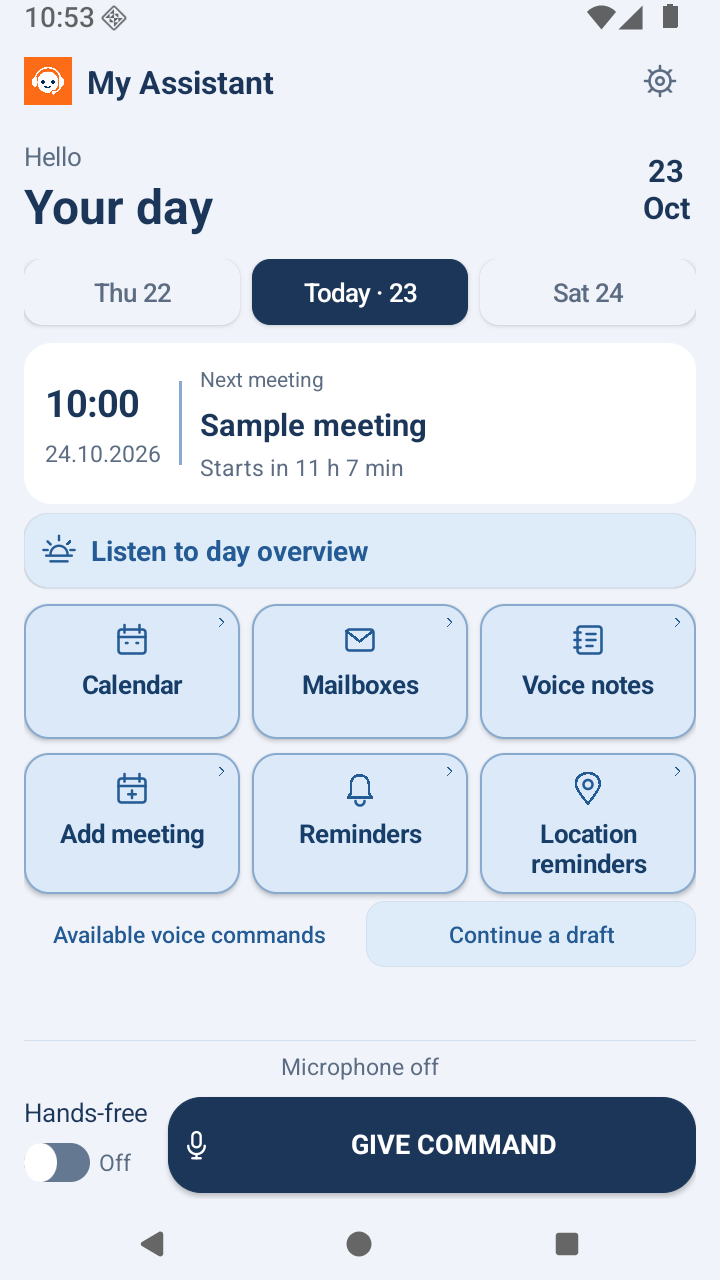
See the next meeting, browse your calendar and listen to your day overview.
YOUR DAY. AT YOUR PACE.
Your calendar, mail and reminders, together in one Android assistant. Speak a command, or use the buttons. You choose.
Version 0.111 · Android 8.0+ · 2.73 MB
Installation guide
MY ASSISTANT
The things you need, close at hand.
See the next meeting, browse your calendar and listen to your day overview.
Keep a text note or your own voice recording for later.
Set a time or location reminder for the things you want to remember.
A quick tour of voice commands, calendars, emails, notes and location-based reminders.
English narration and subtitles · 77 seconds
Watch on YouTube ↗Version 0.111 · Android 8.0 or later · 2.73 MB
This preview APK is installed outside Google Play. From version 0.105, the app automatically notifies you about new versions; you confirm installation. Turn automatic checks off in Settings → Updates if desired. Installing this APK does not count towards the Google Play closed test.
Google Play tester? Join the closed test
Testers must join with their approved Google account and install from Google Play. The link becomes available after Google approves the release.
File checksum (SHA-256)Choose your language and voice.
Connect your own calendar and mail accounts.
Try one command and review the result.
App features are free. Estonian speech requires your own Azure account and provider usage charges may apply. English and Spanish use your phone speech service; offline availability depends on your phone.
Support developmentThe app uses supported command patterns, not open-ended AI conversation. Mail requires IMAP/SMTP access; accounts requiring OAuth-only sign-in are not yet supported. Background reminders need phone permissions. Calendar times use the phone timezone and the calendar you select.
Contact the developer →